Analytics
The starter subscription includes a set of analytics.
Usage
You can use the analytics by using the /analytics command in any channel.
Once done, the bot will respond with a message prompting you to select the type of analytics you want to see:
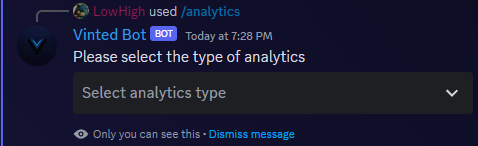
The starter subscription only includes user analytics that can be accessed by selecting them in the select menu.
User analytics
Once you select the user analytics, the bot will respond with a message prompting you to select the user you want to see the analytics for:
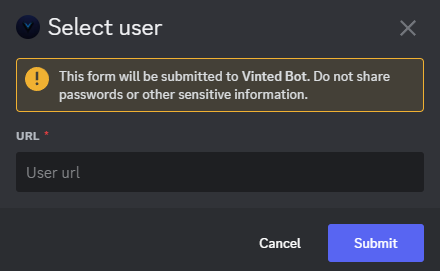
You will need to enter the url of the profile you want to see the analytics for. Once done, the bot will respond with a message containing the analytics.
Query analytics
You can select the 📈 Query analytics option in the select menu. A prompt will then ask you to input a query, you can input any keyword wanted or any Vinted catalog url. Once done, the bot will send you a message with the analytics for the query you entered.